How to Mine Monero
Monero can be mined on a home PC, and yes, you can mine Monero at home if your computer can handle sustained CPU load, heat, and power use. Unlike many mining discussions that focus on GPUs, Monero uses the RandomX proof-of-work algorithm, which is designed to favor general-purpose CPUs. That is why most beginners who want to learn how to mine Monero start with CPU mining rather than a GPU-first setup.
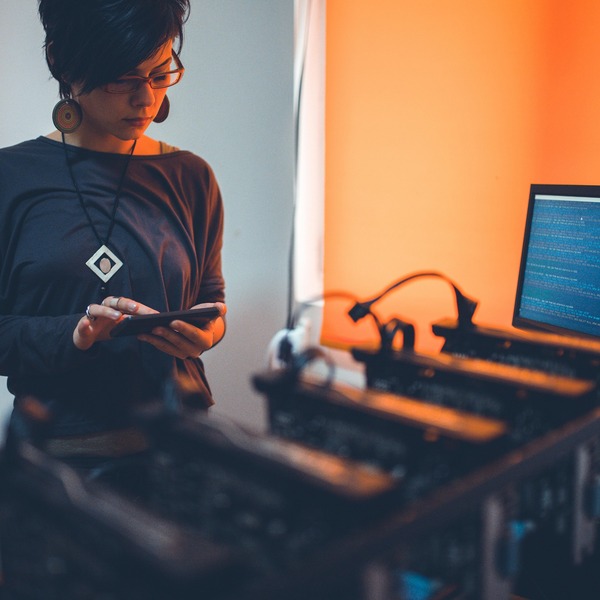
If you are new to XMR itself, it may help to first read what is Monero before setting up mining. This guide explains how Monero mining works, how to mine Monero on PC, CPU vs GPU mining, pool vs solo mining, and what to realistically expect from payouts, heat, noise, and electricity costs. It is a beginner mining guide, not a wallet comparison, buying tutorial, or profitability calculator.
What Is Monero Mining and What Algorithm Does It Use?
Monero mining is the process of using computing power to help secure the Monero network and validate new blocks. In return, miners compete for XMR rewards made up of the block reward and transaction fees included in a block. If you mine through a pool, you do not usually receive full block rewards yourself. Instead, rewards are shared among participants based on the work each miner contributes.
Monero uses the RandomX algorithm. RandomX is designed to favor general-purpose CPUs, which is why Monero mining is often described as more accessible to home users than mining networks that strongly favor ASICs. That does not mean every PC is equally suitable. Results still vary based on CPU performance, memory setup, cooling, and power draw.
Can You Mine Monero on a PC or at Home?
Yes, Monero can be mined on a desktop PC at home, and that is the setup many hobby miners use. A consumer CPU can participate in mining as long as the machine remains stable under long periods of heavy load. In practice, home mining means balancing feasibility with comfort: the PC needs to stay cool, fans may become louder, and electricity use will rise while mining is active.
Desktop computers are usually better suited than laptops because they tend to have stronger cooling and more room for sustained performance. A laptop can technically mine Monero, but it is often a poor fit for long sessions because heat builds up faster and thermal throttling can reduce output. For most beginners, the realistic question is not only “can you mine Monero at home?” but also “can your home PC do it without becoming too hot, noisy, or inefficient?”
Before you begin, it helps to prepare a payout address and a wallet that fits your needs. If you have not chosen one yet, see how to choose a Monero wallet.
What You Need Before You Start Mining Monero
Before starting, have four basics ready: a PC with a capable CPU, mining software that supports RandomX, an XMR payout address, and a choice between pool mining and solo mining. You should also have enough RAM for the mining client you plan to use, along with stable internet access and reliable cooling.
A beginner should also think beyond the basic checklist. Mining software needs connection settings, such as a pool server address and port or access to a solo node if you plan to mine independently. Your antivirus may flag some mining programs, but that does not automatically mean every alert is harmless. Fake miner downloads and modified installers can carry malware, so software source quality matters. You should also be ready to monitor temperatures, fan behavior, and miner logs during the first runs instead of leaving everything unattended.
CPU vs GPU Mining for Monero
For Monero, CPU mining is usually the main focus because RandomX was designed to make CPUs more relevant than they are on many other proof-of-work networks. GPU mining can still come up in broader mining conversations, and in some cases people may try it, but it is not usually the central strategy for Monero. If your goal is specifically to mine XMR, CPU selection, cache behavior, memory performance, and stable cooling are often more important than building a GPU-heavy rig.
| Option | Typical role in Monero mining | Beginner friendliness | Main trade-off |
|---|---|---|---|
| CPU mining | The standard approach for most XMR miners | High | Can still be limited by heat, power cost, and modest hashrate |
| GPU mining | Possible to discuss, but usually less central for Monero | Medium to low | Usually less aligned with RandomX than CPU-focused mining |
For a beginner asking whether CPU or GPU is better for mining Monero, the practical answer is usually CPU. That is also why many small home miners start with an existing desktop rather than building a specialized rig.
Pool Mining vs Solo Mining: Which Is Better for Beginners?
Pool mining combines hash power from many miners. Instead of waiting to find a full block alone, you contribute work to the pool and receive smaller, more regular payouts when the pool earns rewards. Pool mining is usually easier for beginners because setup is straightforward, earnings arrive more predictably, and pool dashboards make it easier to check whether your miner is working correctly.
Solo mining means mining independently, usually by connecting your mining software to your own node or solo setup. If you find a block, you receive the full block reward yourself. The trade-off is that rewards are much less predictable. A small home miner may wait a long time before finding a block, and luck plays a larger role in short-term results.
| Method | How rewards arrive | Beginner suitability | Main drawback |
|---|---|---|---|
| Pool mining | Smaller, more regular payouts based on contributed work | Best for most beginners | Pool fees and shared rewards reduce each payout |
| Solo mining | Full block reward if you find a block | Better for advanced users | Rewards can be highly irregular |
For most people learning how to mine Monero on PC, pool-based CPU mining is the simpler starting point.
How to Mine Monero Step by Step
- Create or prepare a Monero wallet and copy your payout address carefully.
- Choose mining software that supports RandomX and works with your operating system.
- Decide whether to use a mining pool or mine solo.
- Enter the required connection settings, such as the pool server, port, worker name if needed, and your payout address.
- Start the mining client and watch the first session closely.
- Check local logs or the pool dashboard to confirm accepted shares are appearing.
- Monitor CPU temperature, fan noise, and overall PC stability during longer runs.
- Adjust thread count or other settings only if your machine stays stable and temperatures remain reasonable.
The first run matters. If accepted shares do not appear, the miner may be connected incorrectly, your payout address may be wrong, or performance may be too unstable for reliable operation. If the PC becomes unusually hot, unresponsive, or noisy, stop the session and correct the issue before continuing.
Is Mining Monero Profitable, and How Long Does It Take to Mine 1 XMR?
Whether Monero mining pays for itself is shaped by several factors at once: your CPU hashrate, electricity price, pool fees, uptime, network difficulty, and the market price of XMR. A setup that looks fine in a simple estimate may produce weaker real-world results if the computer throttles under heat, spends time offline, or runs with poor memory settings.
The question of how long it takes to mine 1 XMR does not have one fixed answer. In pool mining, you usually receive partial payouts over time rather than waiting until you personally “finish” mining a full coin. In solo mining, the answer depends even more on luck and network difficulty because rewards arrive only if you find a block. That means two miners with similar hardware can still see different short-term outcomes.
What affects your results most:
- CPU hashrate
- Network difficulty
- Pool vs solo setup
- Electricity cost
- Uptime
- Thermal stability and throttling
- Pool fees and payout threshold
If your main goal is simply to acquire XMR rather than experiment with mining, it can be worth comparing mining economics with getting exposure through a btc to xmr exchange. That comparison is often useful when electricity costs are high.
Common Monero Mining Mistakes and Safety Checks
Many beginner problems come from setup errors rather than the algorithm itself. A wrong payout address, an incorrect pool connection, unstable thread settings, or poor airflow can all reduce results or stop payouts entirely. Malware risk is another practical issue. Mining software should come from a trusted source, and antivirus warnings should be reviewed carefully instead of ignored automatically.
A second common mistake is focusing only on headline hashrate while overlooking sustained performance. A machine that looks fast for a few minutes may slow down later because of heat, fan limits, or background tasks. Monitoring is important because accepted shares, stable temperatures, and consistent operation tell you more than a single benchmark number.
Use this safety check before leaving a miner running:
- Verify the payout address character by character
- Confirm the miner is submitting accepted shares
- Watch temperatures during the first long session
- Stop if the PC becomes unstable, overheats, or throttles heavily
- Use trusted software sources and review security alerts carefully
FAQ
Can you mine Monero on a PC?
Yes. Monero can be mined on a PC, especially a desktop with adequate cooling and a CPU that can handle sustained load.
Can you mine Monero at home?
Yes. Home mining is possible, but you should expect higher power use, extra heat, and fan noise while the miner runs.
Can you mine Monero with a GPU?
It is possible to discuss GPU mining in broader crypto mining contexts, but Monero is usually approached as a CPU-mined coin because RandomX favors CPUs.
Is CPU or GPU better for mining Monero?
For Monero, CPU mining is usually the better fit. That is the practical starting point for most beginners.
What algorithm does Monero use for mining?
Monero uses RandomX, a proof-of-work algorithm designed to favor general-purpose CPUs.
Can I solo mine Monero?
Yes, but solo mining is less predictable. Many smaller miners prefer pools because payouts are steadier.
Is Monero hard to mine?
It is more accessible than some ASIC-dominated mining setups, but that does not make it easy to mine profitably. Heat, power cost, and network difficulty still matter.
How long does it take to mine 1 XMR?
There is no fixed timeline. In pools, miners usually receive smaller payouts over time. In solo mining, luck and network difficulty heavily affect how long rewards take.
Is mining Monero profitable?
It can be, but only under the right conditions. Your net result depends on hashrate, power cost, fees, uptime, and market conditions.